Daily use
See Navigation for the full sidebar map.
Board dashboard
Open Doc Flow+ from the board menu to reach the Docs dashboard.
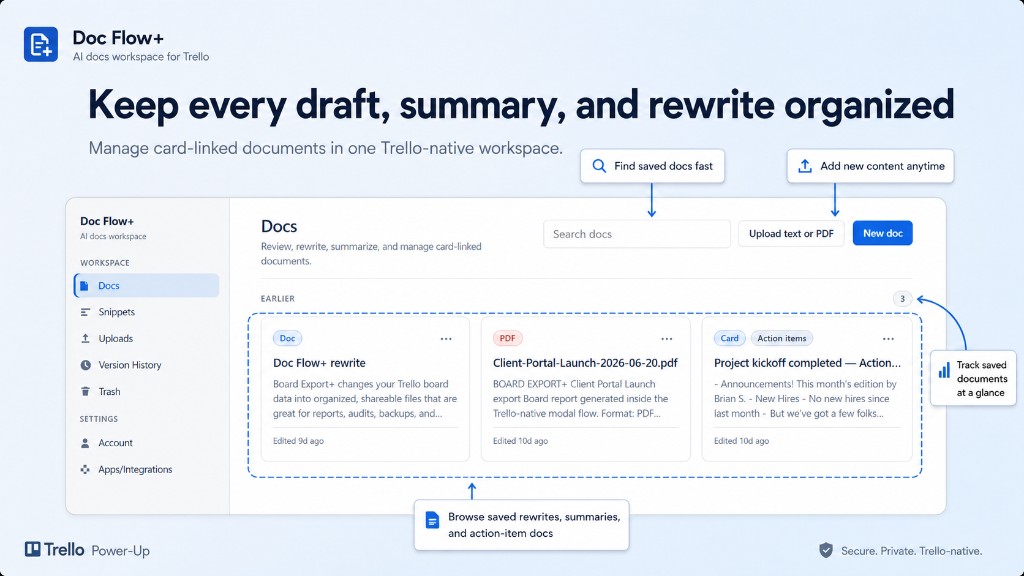
Workspace
- Docs — list of board documents with quick actions (open, summarize, proofread, rewrite, delete); use New doc to start from scratch
- Snippets — reusable text blocks; insert into AI Review with Insert snippet
- Uploads — upload TXT or PDF
- Version History — saved versions for a selected document
- Trash — restore or permanently delete
Settings
- Account — usage stats and link to full settings
- Apps & Integrations — Trello and AI provider connection status
Card menu actions
From a card, click Doc Flow+ to open the action menu:
| Menu item | Use for |
|---|---|
| Proofread description | Grammar, spelling, clarity |
| Rewrite description | Same facts, different tone |
| Summarize card | Shorter summary of the description |
| Extract action items | Extract tasks → create a Trello checklist |
| Summarize comments | Fetch and summarize the card's comment thread |
| Upload text/PDF | Open the upload flow for this card |
You can also open AI Review from a document in the dashboard.
Card AI review
Inside AI Review, pick an action from the toolbar:
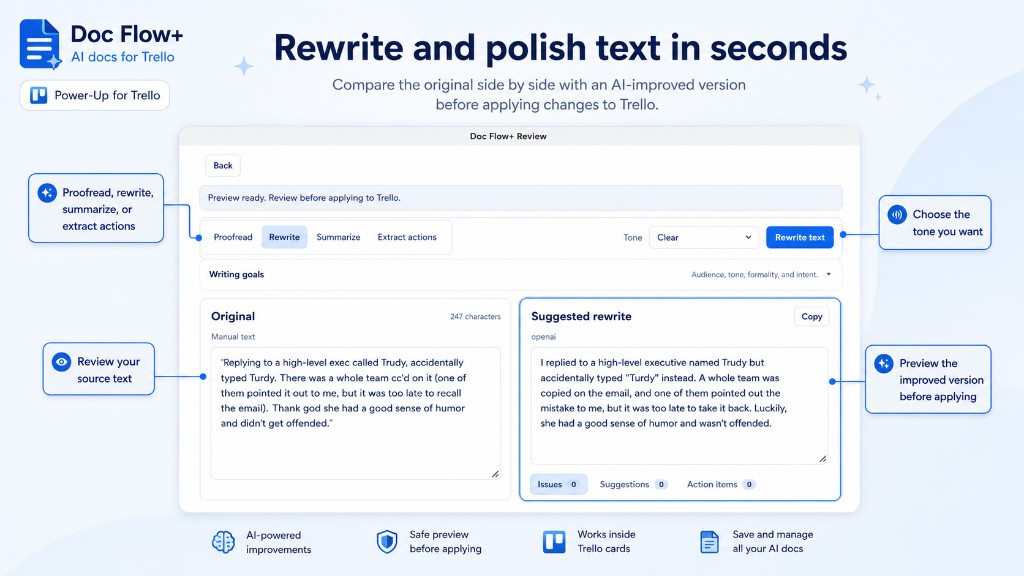
| Action | Use for |
|---|---|
| Proofread | Grammar, spelling, clarity |
| Rewrite | Same facts, different tone (Clear, Professional, Friendly, Concise, etc.) |
| Summarize | Shorter summary of long text |
| Extract actions | Extract tasks (same as Action items in settings) |
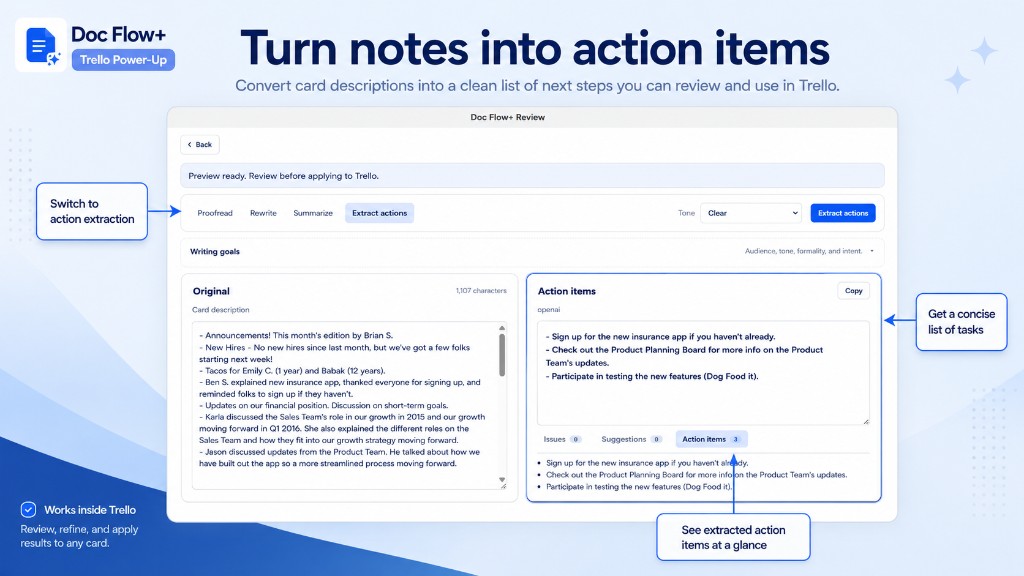
Click the primary action button (e.g. Proofread text), review the output, then copy, save, or write back to Trello.
Optional Writing goals (audience, formality, intent) guide the AI and are saved with versions when you save.
Summarize comments opens AI Review in comment-thread mode: raw comments are not shown until you click Summarize comments to fetch them from Trello.
Snippets
Open Snippets from the dashboard sidebar.
- Personal snippets — your own reusable text
- Shared snippets — reusable text for your workspace (when enabled)
In AI Review, use Insert snippet in the Original panel to paste a snippet into the source text.
Uploads
Uploads accepts .txt and .pdf (text-based only — not scanned images).
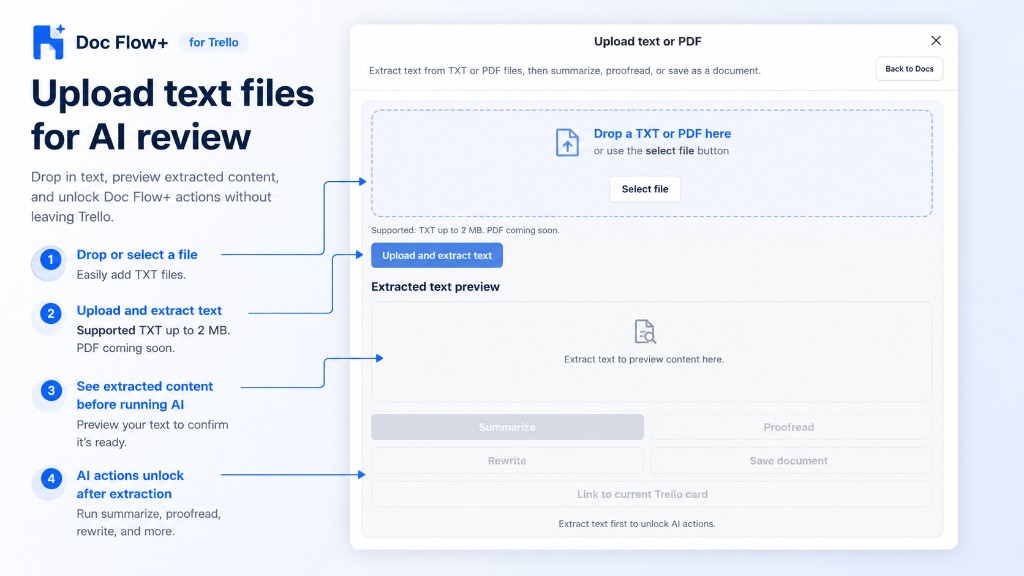
- Select or drag a file → Upload
- Wait for text extraction
- Run summarize, proofread, rewrite, or save as a document
Limits: TXT 2 MB, PDF 10 MB, up to 200k extracted characters.
Versions and trash
- Save version in AI Review creates a version you can reopen from Version History.
- Auto-save (in Settings) can save versions automatically after each AI run.
- Deleting a document sends it to Trash; Delete forever removes it permanently.
Write back to Trello
All write-back requires your confirmation:
| Action | Primary button | Result |
|---|---|---|
| Proofread / Rewrite | Apply to card | Replace the card description |
| Summarize / Summarize comments | Add summary comment | Post summary without changing the description |
| Extract actions / Action items | Create checklist | Add tasks as a Trello checklist |
Copy and Save version work without a linked card. Apply-style actions stay disabled until you open a Trello card.
Card badges (Reviewed, Summary) may appear after Doc Flow+ activity.
Settings: Settings & privacy.